Selected Works
The Gallery Rail
A running cabinet of plates made from photographs like yours. Hover to pause; the rail otherwise drifts right to left on its own.
Transformation
Before & After
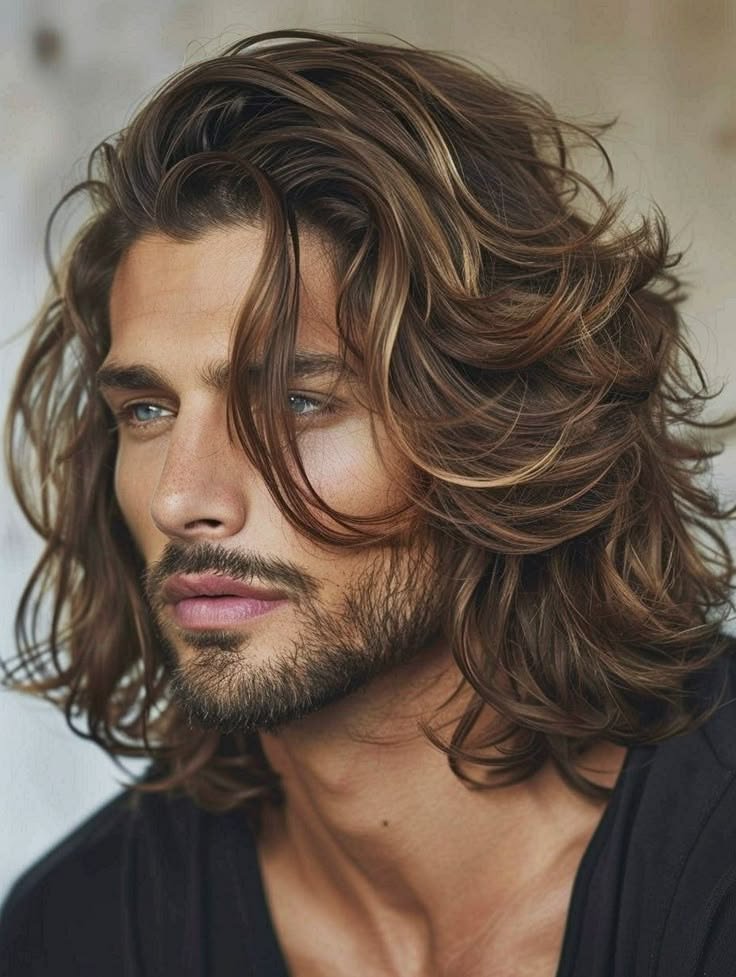
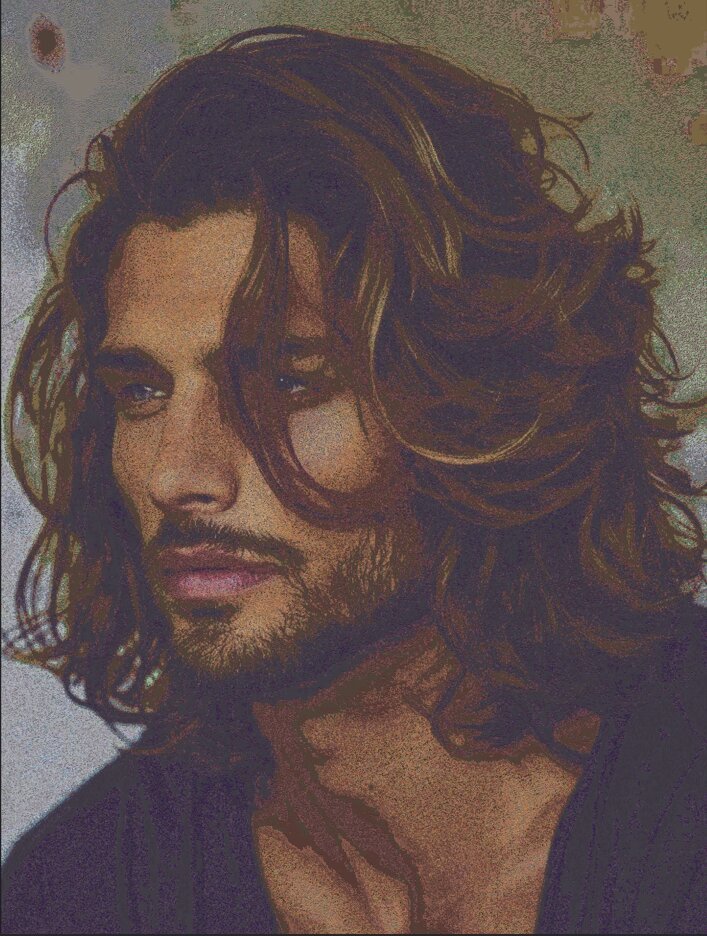
The same photograph, on either side of the AI. Colour, form and mood carry through — rendered entirely in emoji.
Method
How the Emoji Mosaic Generator Works
Four plates, run in order, the moment you upload a picture.
Smart colour reference
The tool builds a private colour library from thousands of emojis, learning which shades each one brings to the table.
Photograph breakdown
Your image is automatically divided into small sections, and the dominant colour of each section is identified.
Perfect pairing
For every section, the tool selects the emoji with the closest matching colour — much like a human eye would judge it.
Final assembly
All the chosen emojis are placed together, recreating your original photograph as a finished emoji artwork, ready to download.
Getting Started
Create Emoji Art in Four Steps
Upload Photo
Choose any JPG, PNG or WEBP from your phone or computer.
Adjust Settings
Use the sliders to control detail level and the style of your mosaic.
Watch It Assemble
Your photograph is rebuilt from emoji, live, on the canvas.
Download & Share
Save your emoji mosaic and post it anywhere — no watermark.
Before You Upload
How Your Photograph Should Look
The AI works from colour and contrast, so the source photograph matters. A few guidelines before you upload.
Composition
A single subject, cropped in close.
Busy group scenes lose definition.
Lighting
Even, natural light with clear colour.
Backlit or very dark photographs.
Contrast
Clear separation between subject and background.
Flat, low‑contrast, washed‑out scans.
Reference
Every Setting Explained
- Analysis Window
- Controls how many emojis are used to build your picture. A lower value gives finer detail and a more recognisable result (may take a moment longer). A higher value creates a chunkier, more abstract look.
- Output Emoji Size
- Sets how big each emoji appears in the final downloaded image. Larger sizes suit printing or high‑resolution displays; smaller sizes keep the file compact. This does not change the look, just the resolution.
- Match Tolerance
- Determines how strictly colours are matched. A tight match keeps the photograph's original colour feel; a looser match introduces more emoji variety and a playful palette. Try tighter for portraits, looser for abstract art.
- Allowed Empty Space
- Some emojis have transparent gaps. This favours emojis that fill their space well, avoiding too many empty areas in the mosaic.
- Background Colour
- Fills any uncovered space with a colour of your choice. Match it to your photograph's main tone, or turn it off for a transparent or white background.
- Display Mode
- Grid — neat rows and columns. Mosaic — a natural, slightly overlapping arrangement. Chart — an experimental layout for a data‑art feel.
- Hide Black / Transparent
- Automatically avoids overly dark or empty emojis, preventing heavy black blocks — especially useful for dark backgrounds.
Who It's For
Who Uses PhotoFromEmojiAI?
Social Creators
Unique posts and stories that stop the scroll on Instagram, TikTok and WhatsApp.
Profile Pictures
A one‑of‑a‑kind avatar built entirely from emoji, no one else will have it.
Meme Makers
Remix familiar images into shareable, instantly recognisable emoji jokes.
Students & Teachers
A visual project showing how a picture is built from simple coloured units — great for classrooms.
Designers
Quick decorative assets, playful thumbnails and hero graphics.
Just for Fun
Turn pet photos, selfies and holiday snaps into emoji keepsakes.
Comparison
Why Choose PhotoFromEmojiAI
| Feature | What it means for you |
|---|---|
| 100% free | No subscriptions, no credits, no hidden upgrades. |
| No signup | Open the page and start generating immediately. |
| No watermark | Downloads are clean and ready to share or print. |
| Private by design | All processing stays on your device — photos never leave your phone or computer. |
| Works everywhere | Fully responsive on Android, iOS, tablets and modern desktops. |
| Fully adjustable | Simple controls give complete creative freedom over the final look. |
| Smart colour pairing | Matching picks the ideal emoji for every spot, keeping the spirit of the original photograph. |
From the Visitor Book
Notes From People Who've Used It
I ran our wedding portrait through it and printed the mosaic for the guest book table. People spent ten minutes finding themselves in it.
My class used it to talk about how images are made of small repeated units. Simple enough for eight‑year‑olds, interesting enough that I kept playing with it after they left.
No account, no upload spinner sending my dog's photo to a mystery server. Just worked, right there in the tab.
Illustrative feedback shown for design purposes — replace with your own collected quotes before publishing.
Privacy
Your Photographs Stay Yours
PhotoFromEmojiAI does all of its work right on your device. Your photographs are never uploaded, stored, or sent anywhere. The moment you close the tab, the image is gone from memory.
Read the full details in our Privacy Policy.
Ready to Create Your Emoji Masterpiece?
Free · Private · Instant · No signup — upload a photograph and let the AI assemble it.
Upload a Photo NowQuestions
Frequently Asked Questions
Is PhotoFromEmojiAI really free?
Yes — 100% free, no signup, no credits and no watermark on any download, ever.
Do my photos get uploaded?
Never. Everything runs on your device. Your pictures stay private and never leave your phone or computer.
Which image formats can I use?
JPG, PNG and WEBP. Most photos straight from a phone or camera work without any conversion.
How does the tool match emojis to colours?
It compares your photograph's colours with a built‑in library of emoji colours and picks the closest match — much like a person judging which emoji looks right.
How do I make the result more detailed?
Lower the Analysis Window value. This uses more emojis and captures finer detail from the original photograph.
Why does my result look too dark or all‑black?
Turn on "Hide Black / Transparent" and slightly loosen the Match Tolerance. This gives the tool more colourful options for shadowy spots.
Can I use the emoji art commercially?
The emojis and your original photograph may carry their own rights. You're responsible for confirming you have appropriate permissions — see our Terms of Service.
Does it work on iPhone and Android?
Yes — the tool is fully responsive and tested on iOS Safari, Android Chrome and modern mobile browsers.
How do I get print‑quality output?
Set Output Emoji Size to a larger value before downloading. The bigger the emoji, the higher the resolution for a crisp print.
Can I use this on a tablet?
Yes, the layout adapts to tablet screens and the controls work the same as on desktop.
Do I need to install anything?
No. PhotoFromEmojiAI is a pure online tool — nothing to download, install or update.